
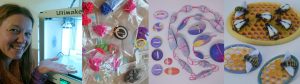
Anarkik3dDesign is optimised for 3D printing
Designer makers, sculptors and other applied artists are creating their virtual models via 3D printed in an array of materials, including different types of polymer, resin, wax, clay and a range of metals.
You can create objects difficult to make by hand such as a ‘ball in a cage’ or linked parts. Objects can be printed in one or many colours, or dyed after printing. Some printers also offer a range of finishes, such as matte or glossy.
The range of technologies being developed to 3D print grows and each technology has different strengths and weaknesses. The majority of techniques involve printing in layers, adding one ‘slice’ on top of the previous layer until the model is finished.
3D printing is particularly great for prototyping and testing out models before printing them in more expensive materials.

3D Printing constraints
There are general considerations when designing for 3D printing.
To 3D print successfully you need to have a good, watertight 3D model. Not all CAD and 3D modelling programmes make this easy to achieve!
Practicalities of 3D printing
If you have a specific material in mind, check the latest information on the professional 3D printing service websites. The technology is improving all the time.
- Check the size of your model before printing. The virtual environment can be misleading and your model might be tiny or gigantic. Check the price too!
- 3D printing is costed by volume. A solid cube will cost more than a hollow cube, as the hollow cube requires less time and material to print.
- Certain 3D file formats such as .stl, .obj, .wrl are required to print 3D models.
- If some parts of the model overhang others, these parts may need supports to allow them to be printed. Powder supports. ‘Extrusion’ methods print supports which can be easily snapped off.
- For hollow models, an opening at the bottom for excess material to drain out is needed if this will be printed in powder (e.g. polyamide or metal) or resin.
- Ensure digital models are proper 3D models capable of being 3D printed i.e. not made up of virtual surfaces or ‘one-sided’ surfaces that don’t exist in real life as these cannot be printed. Check model using free applications such as Netfabb, Meshlab and Magics, although they cannot repair models.
- Level of detail depends on the resolution of the printer type and the material used.
- If you have a certain material in mind, visit the websites of the service companies for the latest design guidelines. For example:
- For articulated parts the use of materials such as polyamide is recommended. Have a gap of 0.5 mm between the surfaces of the two parts for movement to work correctly.
- The minimum thickness of your model’s parts will depend on the strength required and on the material you use.
- In standard plastic (polyamide), a wall thickness of 0.8 mm is both reasonably strong and slightly flexible.
3D printing options
- Build your own desktop 3D printer from a kit: Prusa, interesting history here
- Ready-built desktop 3D printer (i.e. Ultimaker)
- Join a local group with access to a 3D printer (e.g. your local library, Fablab)
- Upload your model to a professional 3D printing service (i.e. Materialise, Shapeways, Sculpteo, Oceanz, CraftCloud, WeDo3DPrinting, etc) and get a quote. They can offer additional services such as:
- Repairing models for 3D printing
- Adding supports to models for overhanging parts
- Casting into precious metals
- Polishing
- Bureau: If your model is complex and requires other processes such as mould-making and casting, try a bureau (i.e. Western Beamore 3DPrint UK) where you will get comprehensive support. Although these might seem to be more expensive, they will help you get your model right first time.
- There is so much info now it can be overwhelming!
.
DISCLAIMER!
Please note that Anarkik3D has no control over your dealings with third party services. If you experience any problems whilst uploading or when you receive your 3D printed model, please contact the 3D print company directly.